Evalm
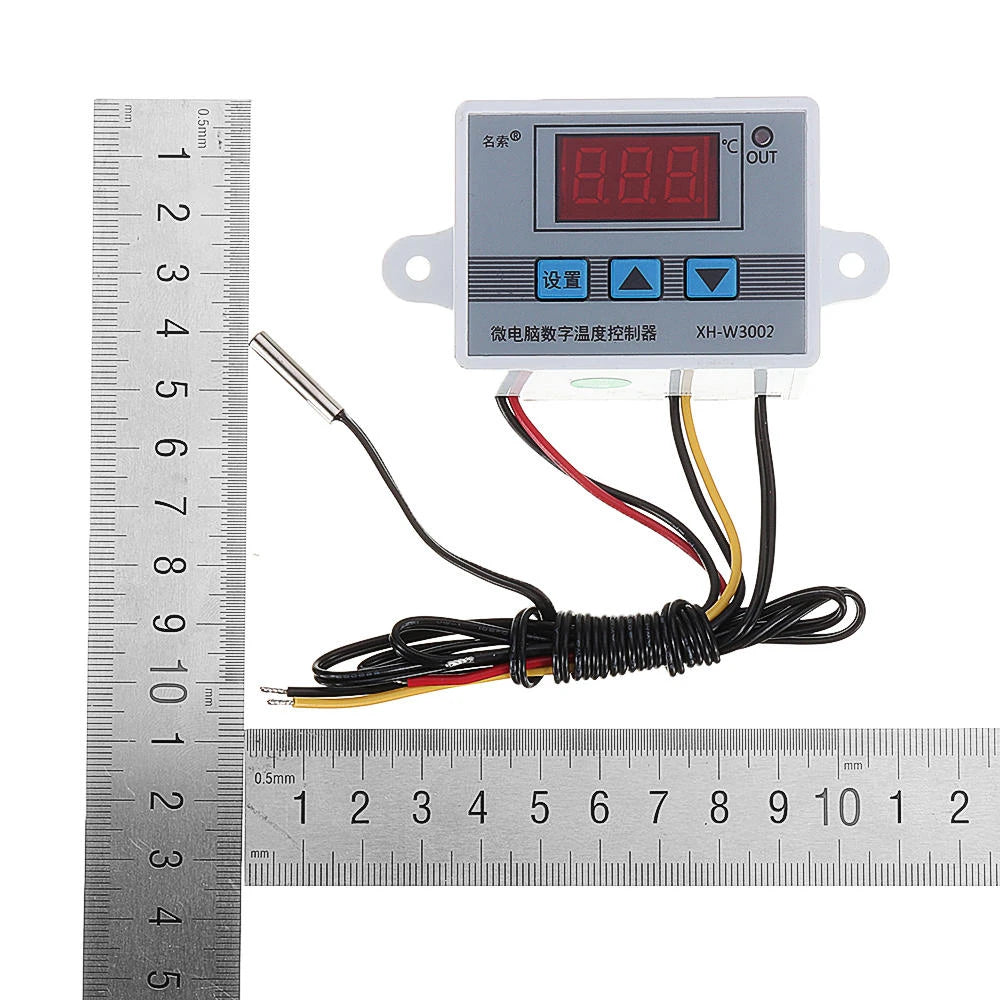
5pcs 220V XH-W3002 Digital Thermostat - High Precision 0.1° Temperature Control Switch for Heating & Cooling
5pcs 220V XH-W3002 Digital Thermostat - High Precision 0.1° Temperature Control Switch for Heating & Cooling
Regular price
$13.39 USD
Regular price
$0.00 USD
Sale price
$13.39 USD
Shipping calculated at checkout.
 Estimated Delivery: -
Quantity
Couldn't load pickup availability

Guaranteed secure & safe checkout.

Microcomputer Temperature Controller
Product Details
- Product Name: Microcomputer Temperature Controller
- Model: XH-W3002
- Temperature Range: -50~110°C
- Temperature Control Range: -50~110°C
- Temperature Measurement Accuracy: ±0.2 °C
- Temperature Control Accuracy: ±0.1 °C
- Temperature Probe: NTC10K (B3950) 1 meter waterproof probe
- Supply Voltage: DC12V/DC24V/AC220V
- Output Power: AC220V: 1500W
- Output Type: Direct output
- Appearance Size: 60 x 45 x 31mm
- Opening Size: 73mm (aperture 4mm)
Package Includes
- 5 x Microcomputer Temperature Controller
Controls & Operation
Key Descriptions:
- Up Key: Short press to display starting temperature; long press to set starting temperature.
- Down Button: Short press to display stop temperature; long press to set stop temperature.
- Shutdown Button: Press to turn off/on the thermostat.
Settings
| Code | Description | Setting Range | Factory Setting |
|---|---|---|---|
| P0 | Starting temperature | -50~110°C | 25 |
| P1 | Stop temperature | -50~110°C | 40 |
| P2 | Temperature correction | -10~10°C | 0°C |
| P3 | Delayed start | 0-10 minutes | 0 |
Setting Instructions:
- Set Starting Temperature (P0): Press the setup button to enter the menu. Use the up/down buttons to adjust.
- Set Stop Temperature (P1): Enter the menu, switch to P1, and adjust using the up/down buttons.
- Temperature Correction (P2): Enter menu, switch to P2, and set using the up/down buttons.
- Set Delay Start (P3): Enter menu, switch to P3, and set delay time using the up/down buttons.
Tips
- 888: To restore factory settings, hold up and down keys for 3 seconds.
- LLL: Indicates sensor open circuit; repair or replace sensor.
- HHH: Indicates sensor short circuit; address to resolve.
Instructions
- Connect the power supply and heating/cooling equipment as per the wiring diagram.
- Set the starting temperature by holding the up key. Adjust with up/down keys, then wait 5 seconds to save.
- Set the stopping temperature similarly by holding the down key.
- Restore factory settings by holding the up/down keys when the screen displays 888.