Evalm
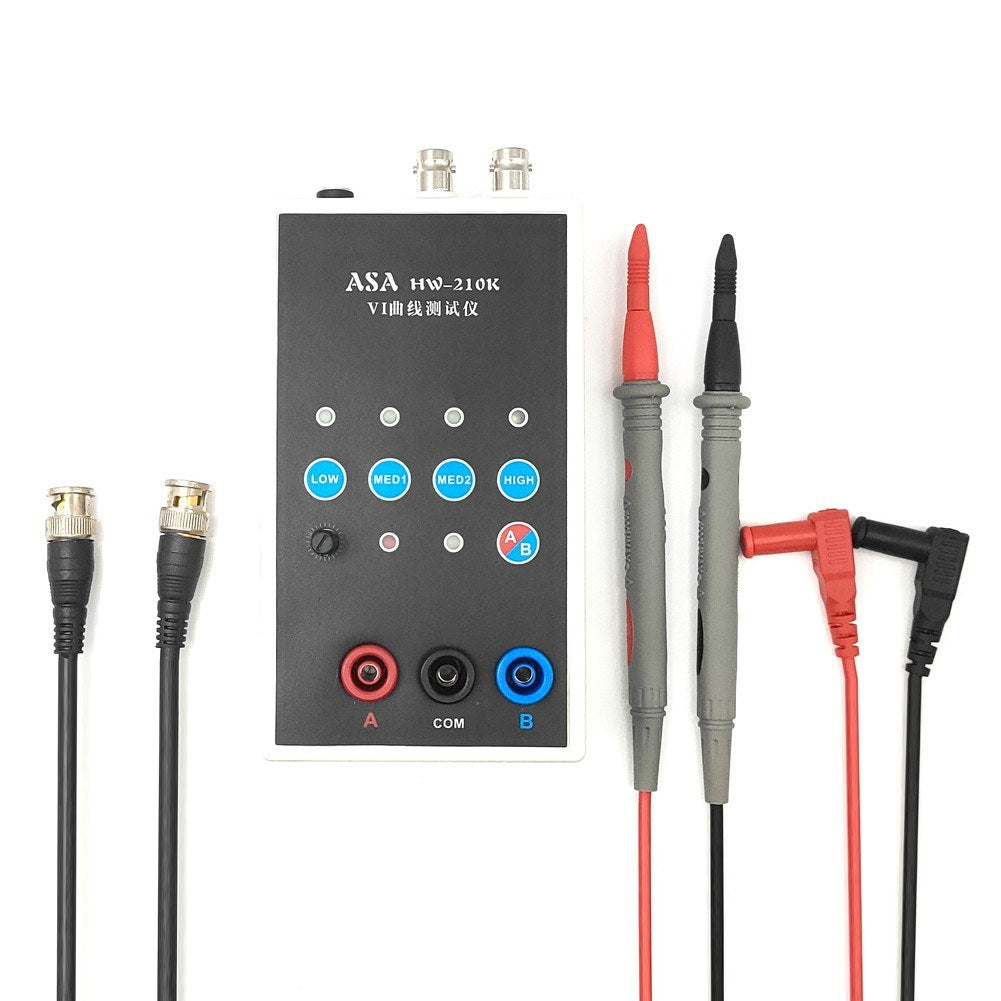
HW-210K Portable Dual-Channel VI Curve Tester with ASA & Adjustable Frequency
HW-210K Portable Dual-Channel VI Curve Tester with ASA & Adjustable Frequency
 Estimated Delivery: -
Couldn't load pickup availability


Handheld Portable VI Curve Tester
Unlock the potential of precise circuit testing with our Handheld Portable VI Curve Tester. Designed for versatility and convenience, this tester seamlessly connects with both analog and digital oscilloscopes. If you're in search of reliable testing equipment, this product is a must-try—it won’t disappoint.
Key Features
- Multiple Test Frequencies: Four test frequencies enhance your testing capabilities when connected to any oscilloscope, be it analog or digital.
- Dual Signal Input: Equipped with an alternating display function to facilitate easier use.
- Adjustable Speed: Tailor the frequency and alternating speed to suit your specific requirements.
- User-Friendly Operation: Single-click channel selection simplifies your testing experience.
- Safety Precautions: Ensure the circuit board isn't charged and large capacitors are discharged before use to prevent damage.
Specifications
- Materials: Durable plastic construction
- Channels: 2 channels
- Frequency: 4-frequency gears
- Package Dimensions: 195 x 135 x 105 mm / 7.7 x 5.3 x 4.1 inches
- Package Weight: 435g / 1.0 lb
Connecting to Analog Oscilloscopes
Connecting to an analog oscilloscope is straightforward, though procedures may slightly vary by model. Set the oscilloscope to xY mode—often selectable via buttons or a knob. Connect using a BNC cable and configure the xY vertical channel to around 1V/div. Adjust the attenuations to position lines optimally for accurate measurement. Short-circuiting the test pen should produce a vertical line, which can be fine-tuned by adjusting Y channel parameters.
Connecting to Digital Oscilloscopes
For digital oscilloscopes, access the xY mode via the menu or keys. Set the channels to 1V/div and ensure the time base is at 1-5 milliseconds. Use Direct Current coupling and 1x attenuation for xY channels. A bright spot should appear when disconnected. On connection, adjust so that the horizontal line fits well within the display frame. A vertical line should appear when test leads are short-circuited, which can be adjusted with Y channel settings.
Packing List
- 1 x VI Curve Tester
- 1 x Pair of BNC Cable
- 1 x Pair of Test Cable